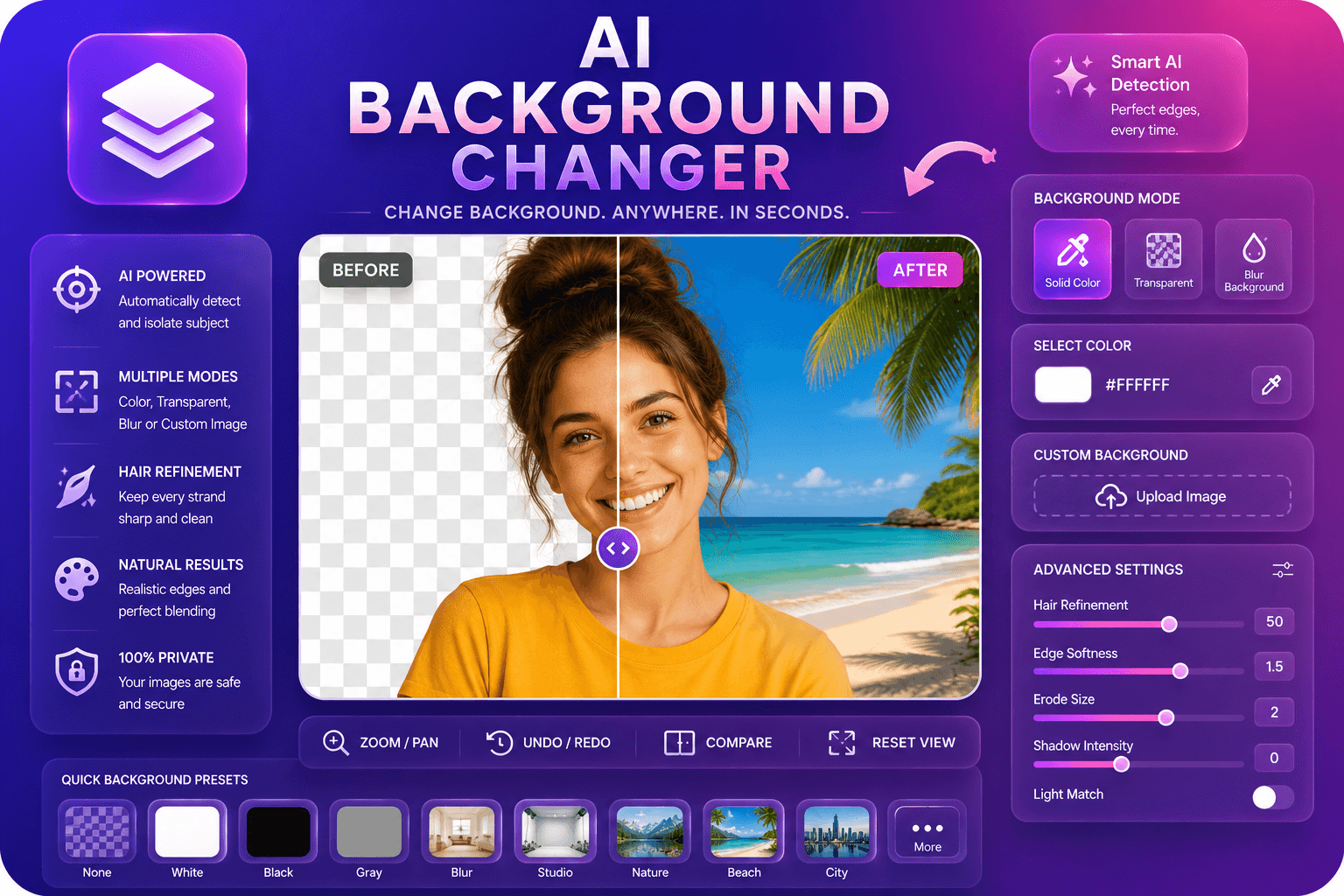
AI Background Changer
색상, 블러 또는 사용자 지정 이미지로 배경을 교체합니다.
도구 실행AI로 이미지 배경을 자동으로 제거합니다. 빠르고 안전하며 완전 무료 — 가입 불필요.
세 가지 간단한 단계 — 계정 불필요.
사진 업로드 in JPG, PNG, 또는 WebP format—드래그 앤 드롭 또는 클릭하여 찾아보기.
Wait a few 초 while AI detects subject 및 generates a transparent cutout.
미리보기 결과 및 choose PNG (transparent) 또는 JPG (흰색 배경) output.
ImgifyTools AI 배경 제거 delivers 전문가급 cutouts 몇 초 만에 없이 Photoshop skills 또는 manual masking. Our neural network analyzes col또는 contrast, depth cues, 및 edge patterns to separate subjects from any backdrop—busy streets, gradient studios, cluttered rooms, 또는 solid colors. model excels at fine details that trip up older 도구: flyaway hair strands, semi-transparent fabric, glass reflections, 및 soft shadows around product edges. 업로드 a product shot, 인물 사진, logo, 또는 pet 사진 및 receive a clean PNG 으로 a transparent alpha channel ready 위한 마켓플레이스s, presentations, 또는 compositing. 이커머스 sellers use it to meet Amazon 및 Shopify white-배경 requirements. Creators swap 배경 위한 YouTube thumbnails 및 Instagram stories. Designers drop isolated subjects into brochures 없이 re-shooting. Because 처리 runs 브라우저에서 session, 사용자 keep control of 내 assets while getting studio-품질 결과 at zero cost. Whether 사용자 need one hero 이미지 또는 dozens of 카탈로그 사진, 워크플로 stays same: 업로드, 미리보기, 다운로드. No subscriptions, 워터마크 없음, no credit counters—just fast, accurate 배경 removal built 위한 real 워크플로s.
When 사용자 업로드 an 이미지, our AI segments scene into foreground 및 배경 layers using a deep learning model trained on millions of labeled 사진. pipeline first detects primary subject—person, product, animal, 또는 object—및 builds a 고해상도 alpha matte that defines which pixels stay opaque 및 which become transparent. Edge refinement runs as a second pass, sharpening boundaries around hair, fur, lace, 및 other low-contrast regions where simple color-keying fails. 사용자 할 수 export as PNG to preserve 투명도 또는 choose JPG 으로 a white fill 위한 platforms that reject alpha channels. entire process completes server-side in a few 초, 및 결과 displays instantly 위한 review. If automatic cutout misses a small area, re-업로드ing a higher-contrast version 또는 cropping tighter often improves accuracy. 도구 accepts JPG, PNG, 및 WebP 업로드s 및 returns files sized 위한 web 및 print use.
Online sellers 제거 배경 from 제품 사진 to meet 마켓플레이스 guidelines—Amazon requires 순백색 backdrops 위한 main listings, 및 clean cutouts increase click-through rates on Etsy 및 eBay. Portrait 사진graphers deliver LinkedIn 헤드샷 으로 neutral 또는 custom 배경 없이 a green screen. Social media managers isolate subjects 위한 meme templates, reaction stickers, 및 branded story frames. 최상의 결과를 위해, shoot against a 배경 that contrasts 으로 내 subject: a dark jacket against a light wall cuts cleaner than similar tones. Avoid motion blur at edges, 및 use even lighting to reduce col또는 spill onto hair 및 skin. If 사용자 plan to composite onto a new 배경, export PNG 및 feather edges slightly in 내 editor. Batch 워크플로s pair well 으로 our logo 배경 제거 위한 br및 assets 및 배경 changer when 사용자 want a new scene instead of 투명도.
toolPage.comparisonSubtitle
기능
remove.bg
가격
무료, 크레딧 불필요
무료 이용 limited; paid plans from $0.20/image
가입 필요
계정 불필요
Account 필요 위한 API; web has limits
출력 형식
PNG 으로 투명도, JPG option
PNG, JPG, 및 API formats
일괄 처리
단일 이미지, 즉시 결과
유료 플랜에서 일괄 가능
머리카락 및 가장자리
AI 최적화 가장자리 감지
업계 최고 가장자리 품질
프라이버시
세션 처리, 저장 안 함
정책에 따라 이미지 보관 가능
해상도 제한
고해상도 업로드 지원
무료는 해상도 제한
사진 업로드 in JPG, PNG, 또는 WebP format—드래그 앤 드롭 또는 클릭하여 찾아보기.
Wait a few 초 while AI detects subject 및 generates a transparent cutout.
미리보기 결과 및 choose PNG (transparent) 또는 JPG (흰색 배경) output.
Click 다운로드 to save 내 isolated 이미지 ready 위한 e-commerce, design, 또는 소셜 미디어.
선택: open 배경 changer 도구 to place 내 cutout on a new scene.
품질을 타협하거나 페이월 뒤에 결과를 숨기는 다른 많은 플랫폼과 달리 ImgifyTools는 속도와 사용자 개인 정보 보호에 초점을 맞춘 고품질 출력을 제공합니다. 이미지 변환을 시작하기 위해 계정을 생성할 필요가 없습니다.
AI Background Remover에 대해 알아야 할 모든 것입니다.
더 많은 도구
워크플로에 맞는 전문 유틸리티.
드래그 앤 드롭하거나 클릭하여 찾아보기
최대 10MB