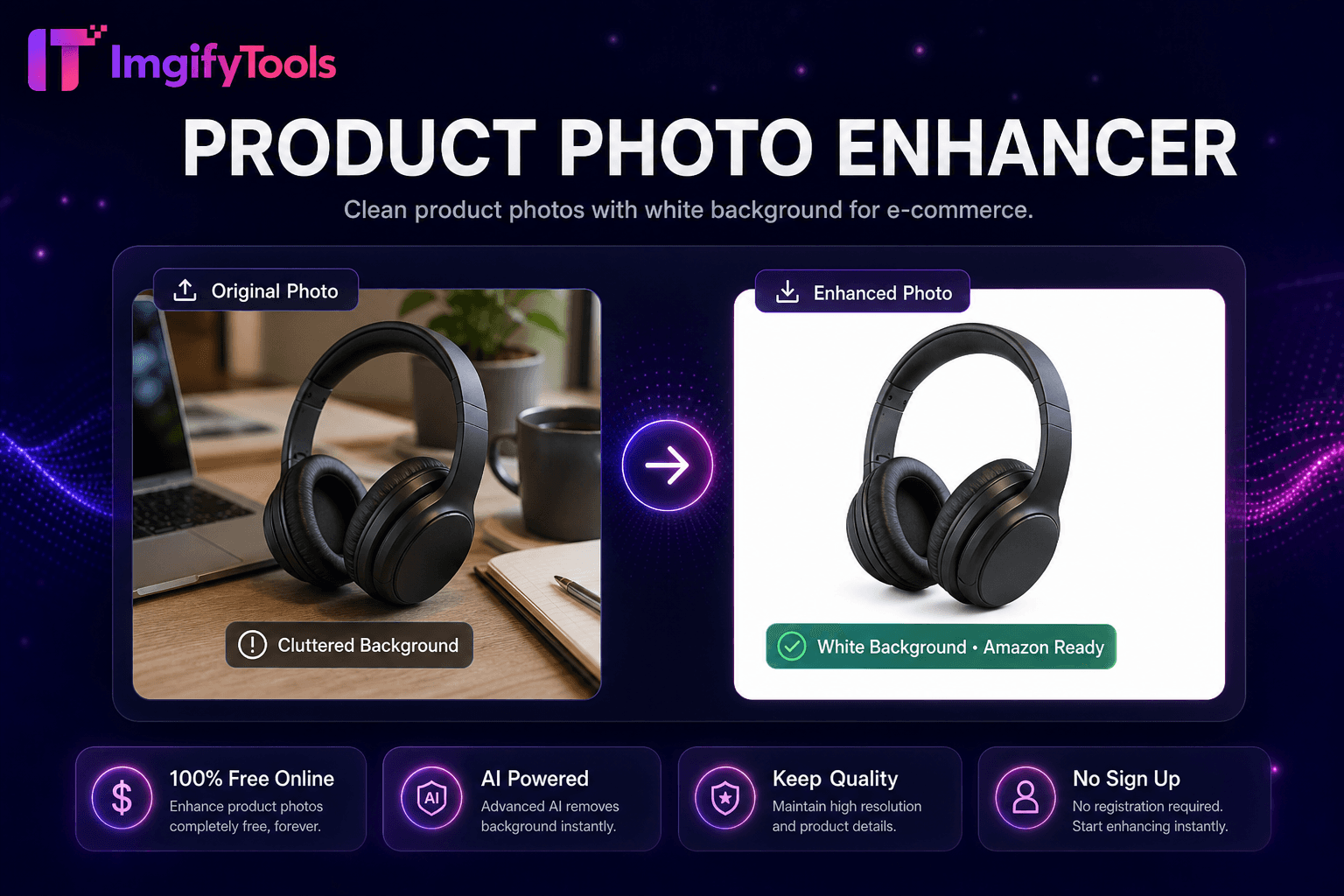
Product Photo Enhancer
Clean 제품 사진 으로 흰색 배경 위한 e-commerce.
도구 실행제거 배경 from logos 및 icons. 빠르고 안전하며 완전 무료 — 가입 불필요.
세 가지 간단한 단계 — 계정 불필요.
업로드 logo 이미지—even from screenshot 또는 scan.
AI detects flat graphic regions 및 제거s backdrop.
미리보기 transparent PNG 위한 edge crispness.
ImgifyTools 로고 배경 제거 optimizes AI cutouts 위한 flat logos, icons, badges, 및 wordmarks—preserving crisp vector-like edges 및 solid col또는 regions that general 사진 배경 제거s sometimes feather incorrectly. Startups extract logos from screenshot captures 위한 pitch decks. Web developers isolate favicon sources from br및 PDF exports. Merchandise designers prep입니다 print-ready PNG logos 없이 halos on dark shirts. model detects high-contrast graphic shapes, uniform col또는 fills, 및 sharp corners typical of br및 assets rather than 사진graphic hair detail. 출력 PNG 투명도 drops into Figma, slide decks, 및 email signatures cleanly. 무료 alternative to manual pen 도구 tracing 위한 simple logos. Pair 으로 shadow generat또는 sparingly—flat logos rarely need drop shadows.
Segmentation tuned 위한 graphic design assets prioritizes hard edges 및 flat col또는 homogeneity over 사진graphic soft transitions. Anti-aliased logo edges from raster exports preserve subpixel smoothness 없이 eating into glyph strokes. Multi-col또는 logos retain each br및 col또는 region separately in alpha matte. Low-resolution screenshot logos may show jaggies—업로드 SVG-exported PNG at 2x resolution when possible. 출력 PNG-24 으로 alpha; 선택 JPG 흰색 배경 위한 legacy systems.
Extract logo from 사진 of business card 위한 digital contacts. 제거 checkerboard fake 투명도 from Google 이미지 다운로드s before reuse—verify licensing. Export white logo variant by placing on dark 미리보기 before 다운로드 위한 night-mode slide decks. Avoid 사진 배경 제거 on logos when th입니다 dedicated 도구 available—crisper corners 결과. Upscale low-res logo PNG before removal if edges pixelated.
toolPage.comparisonSubtitle
기능
remove.bg
가격
무료, 크레딧 불필요
무료 이용 limited; paid plans from $0.20/image
가입 필요
계정 불필요
Account 필요 위한 API; web has limits
출력 형식
PNG 으로 투명도, JPG option
PNG, JPG, 및 API formats
일괄 처리
단일 이미지, 즉시 결과
유료 플랜에서 일괄 가능
머리카락 및 가장자리
AI 최적화 가장자리 감지
업계 최고 가장자리 품질
프라이버시
세션 처리, 저장 안 함
정책에 따라 이미지 보관 가능
해상도 제한
고해상도 업로드 지원
무료는 해상도 제한
업로드 logo 이미지—even from screenshot 또는 scan.
AI detects flat graphic regions 및 제거s backdrop.
미리보기 transparent PNG 위한 edge crispness.
Choose PNG transparent 또는 JPG 흰색 배경 output.
다운로드 logo ready 위한 web, print, 또는 merchandise.
품질을 타협하거나 페이월 뒤에 결과를 숨기는 다른 많은 플랫폼과 달리 ImgifyTools는 속도와 사용자 개인 정보 보호에 초점을 맞춘 고품질 출력을 제공합니다. 이미지 변환을 시작하기 위해 계정을 생성할 필요가 없습니다.
Logo Background Remover에 대해 알아야 할 모든 것입니다.
더 많은 도구
워크플로에 맞는 전문 유틸리티.
드래그 앤 드롭하거나 클릭하여 찾아보기
최대 10MB