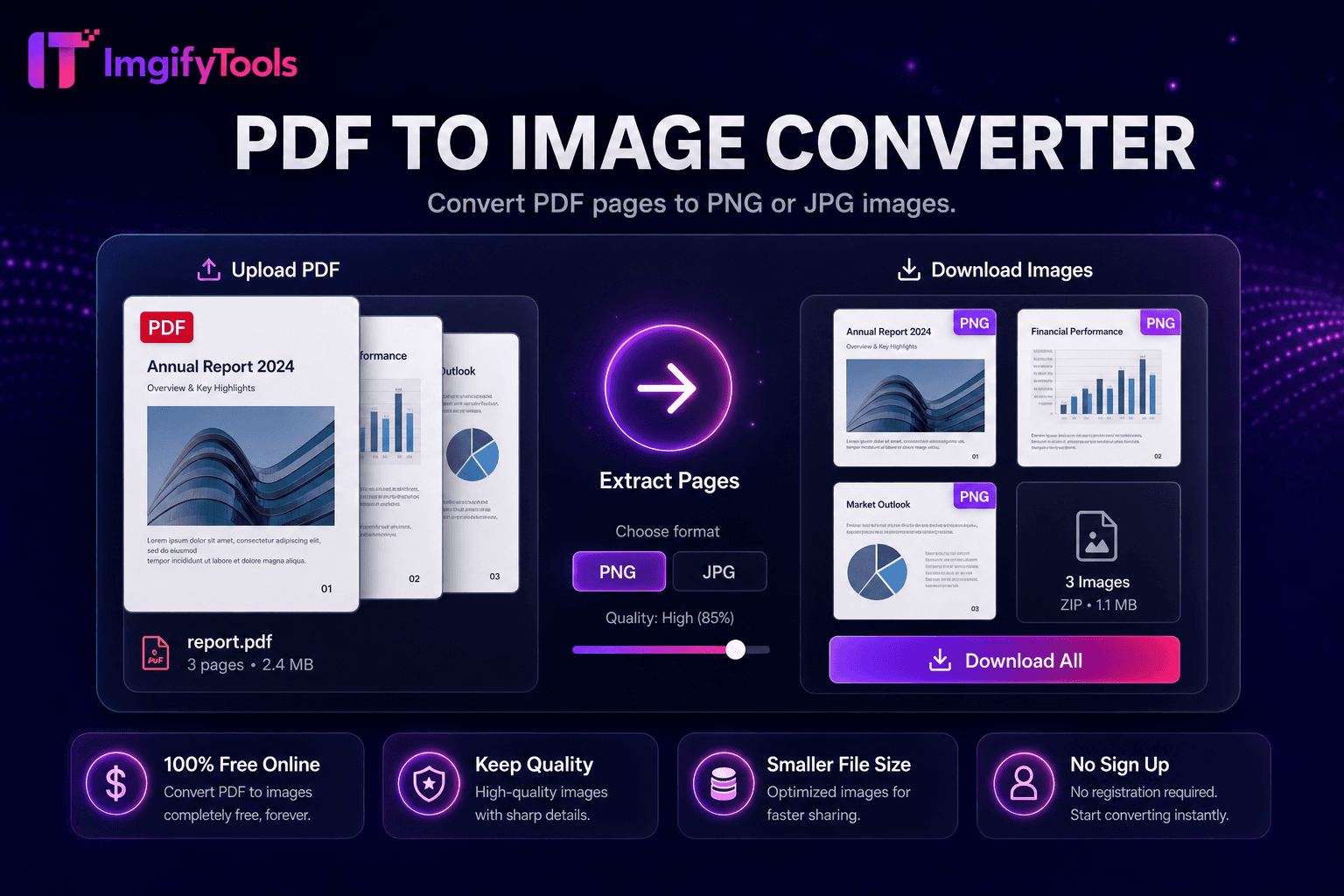
PDF to Image Converter
Konvertieren Sie PDF-Seiten in PNG- oder JPG-Bilder.
Tool startenKonvertieren Sie Bilder online in PDF-Dokumente. Schnell, sicher und völlig kostenlos — keine Anmeldung erforderlich.
ImgifyTools Image to PDF Converter fügt JPG-, PNG- und WebP-Dateien zu ausgefeilten PDF-Dokumenten zusammen – einseitige Scans, Portfolios mit mehreren Bildern, Rechnungsanhänge und druckfertige Fotoblätter. Profis versenden PDF-Proofe per E-Mail, statt lose Bildanhänge, die sich unvorhersehbar in den Posteingängen der Kunden anordnen. Studierende reichen Aufgabenscans als ein PDF pro Hochschulportal ein. Versicherungsnehmer bündeln Schadensfotos in einem einzigen Upload. Vermieter erstellen Bilder zum Einzugszustand für Mietunterlagen. Ordnen Sie die Seitenreihenfolge an, wählen Sie die Ausrichtung des Papierformats und legen Sie die Ränder vor dem Export fest. Der Konverter rastert Bilder mit der Quellauflösung, es sei denn, es werden Downsampling-Optionen für E-Mail-Größenbeschränkungen angezeigt. Für grundlegende Montageaufgaben ist kein Acrobat-Abonnement erforderlich. Kostenlos, browserbasiert und ergänzend zu unserem PDF-to-Image-Tool für Rundum-Workflows beim Extrahieren von Seiten zurück in JPG.
Laden Sie ein oder mehrere JPG-, PNG- oder WebP-Bilder hoch.
Ordnen Sie die Seitenreihenfolge und wählen Sie das Papierformat aus, falls Optionen vorhanden sind.
Generieren Sie das PDF-Dokument aus Ihren Bildern.
Vorschau der Seitenanzahl und der geschätzten Dateigröße.
Laden Sie das PDF herunter, um es per E-Mail zu versenden, auszudrucken oder über das Portal hochzuladen.
Im Gegensatz zu vielen anderen Plattformen, die Kompromisse bei der Qualität eingehen oder Ergebnisse hinter Paywalls verbergen, bietet ImgifyTools eine High-Fidelity-Ausgabe mit Fokus auf Geschwindigkeit und Benutzerschutz. Es ist keine Kontoerstellung erforderlich, um mit der Transformation Ihrer Bilder zu beginnen.
Laden Sie ein oder mehrere Bilder hoch. Die Pipeline bettet jede Seite als PDF-Seite ein, deren Größe den Bildabmessungen oder dem ausgewählten Papierformat (A4, Letter) entspricht. JPEG und PNG dekodieren in Bitmaps, die in PDF-XObject-Streams eingebettet sind, mit optionaler Komprimierung zur Reduzierung der PDF-Bytegröße. Die Seitenreihenfolge richtet sich nach der Upload-Reihenfolge, sofern keine Neuordnungskontrollen vorhanden sind. PDFs mit mehreren Bildern eignen sich für Foto-Kontaktabzüge und Dokumentationspakete. Ausgabe-Downloads als Standard-PDF, lesbar in Vorschau, Adobe Reader und Browser-PDF-Viewern. Die Verarbeitung erfolgt serverseitig für eine zuverlässige Kodierung großer Multi-Megapixel-Fotos.
Kombinieren Sie Quittungsfotos in einem PDF für Spesenabrechnungen. Führen Sie Design-Mockups für Client-Sign-Off-Pakete zusammen. Erstellen Sie Fotoportfolios für freiberufliche Fotovorschläge. Legen Sie die Ausrichtung pro Stapel fest – Telefonfotos im Hochformat auf Seiten im Letter-Hochformat reduzieren störende Ränder. Komprimieren Sie Bilder vor der PDF-Zusammensetzung, wenn E-Mail-Anbieter eine Begrenzung auf 25 MB durchsetzen. Wenn es auf Compliance ankommt, verwenden Sie für Passdruck-Layouts spezielle Pass-Tools, die 2x2-Raster auf 4x6-Blättern anordnen, statt generisches Bild-zu-PDF.
Sehen Sie, wie unser kostenloses image to pdf converter in Bezug auf Preis, Limits und Funktionen im Vergleich zu iLoveIMG abschneidet.
| Funktion | ImgifyTools� | iLoveIMG |
|---|---|---|
| Preis | Kostenlose, unbegrenzte Konvertierungen | Kostenlos mit Werbung; Premium hebt Grenzen auf |
| Formatabdeckung | PNG, JPG, WebP, ⟦1, AVIF, PDF | Unterstützung für Großformate |
| Stapelkonvertierung | Hub unterstützt mehrere Tools | Charge auf Premium |
| Qualitätseinstellungen | Qualität erhalten oder optimieren | Voreinstellungen in Standardqualität |
| Privatsphäre | Keine dauerhafte Speicherung | Temporäre Cloud-Verarbeitung |
| Geschwindigkeit | Schnelle serverseitige Konvertierung | Schnelle Cloud-Verarbeitung |
| Zusätzliche Werkzeuge | Vollständige Suite auf einer Plattform | Separate Tool-Seiten |
Verwandte Tools
Weitere Tools
Weitere spezialisierte Hilfsmittel für Ihren Workflow.