PNG vs JPG vs WebP vs AVIF — File Size & Quality Test (Methodology)
A reproducible methodology for comparing PNG, JPG, WebP, and AVIF on the same images—measurement placeholders ready; refresh dates required before quoting numbers.
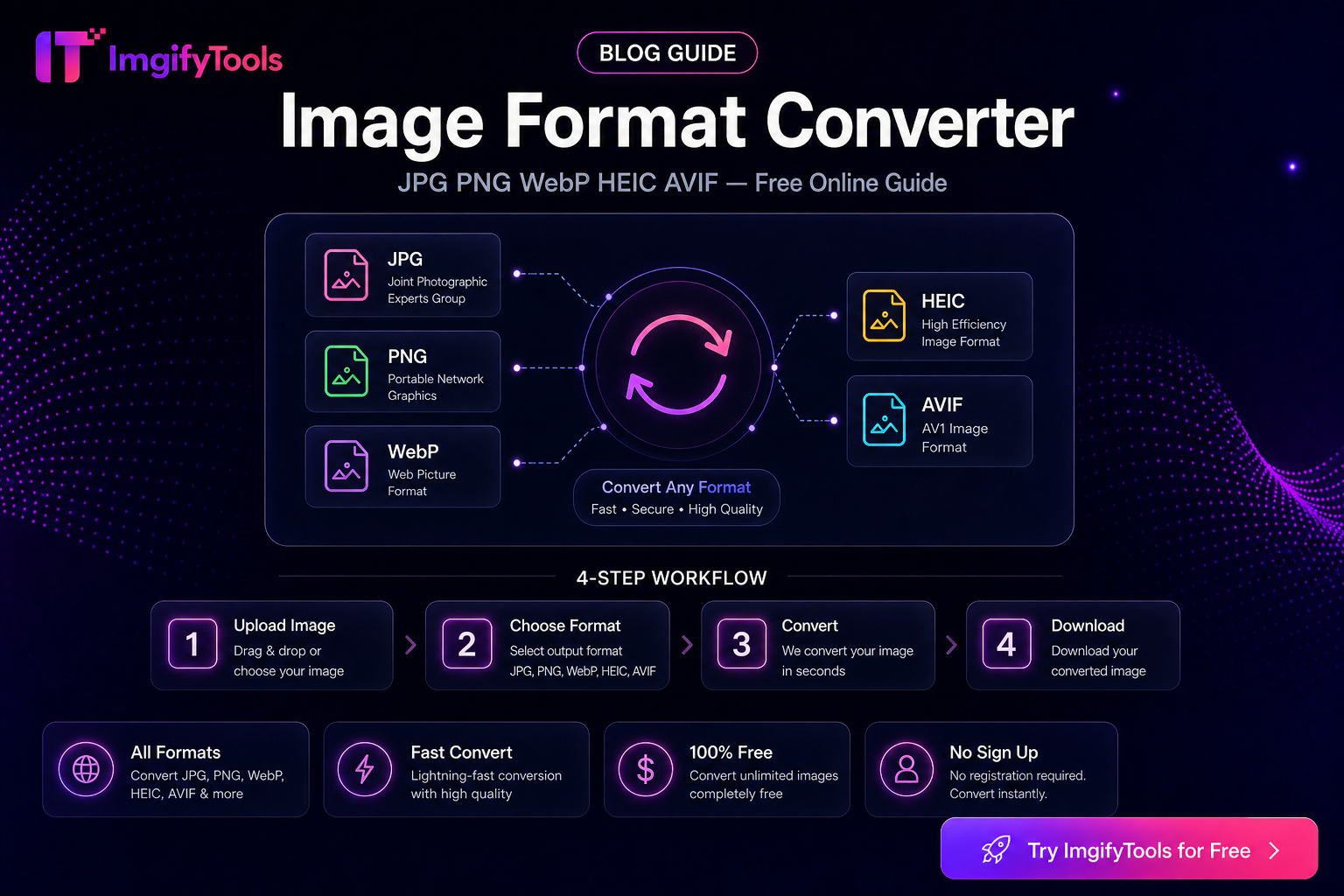
PNG vs JPG vs WebP vs AVIF — File Size & Quality Test (Methodology)
Format debates get noisy when authors quote sizes without dates, encoders, or source images. This page is an honest methodology template for a PNG / JPG / WebP / AVIF comparison. Numeric results below are placeholders until we run (and date) original tests on a fixed sample set.
Status: Methodology ready · Results pending original tests
Last methodology refresh: 2026-08-02
Next measurement refresh due: [YYYY-MM-DD — update when results land]
Related tools: Image Format Converter, Image Compressor, PNG to WebP. Sample drop instructions: /assets/benchmarks/README.md.
Why we refuse fake numbers
Publishing invented KB savings or “AVIF always wins by X%” claims would mislead readers and age badly as encoders improve. Until measurements are filled in from our own runs, treat qualitative notes as guidance only—not league tables.
Test principles (required for any published table)
- Same sources — identical master files for every format (no camera re-exports mid-test).
- Dated runs — every results table shows test date, tool versions, and OS/browser where relevant.
- Documented settings — quality/CRF, chroma, effort/speed, metadata stripped or kept.
- Multiple image classes — photo, product on white, UI screenshot, logo with transparency.
- Disclose limits — ImgifyTools uploads are generally capped near 10MB; competitor UIs and free tiers change—re-check before citing pricing or batch caps.
- Refresh cadence — re-run at least annually or when major encoder defaults change; update the “Last measured” line.
Planned sample set (drop into /public/assets/benchmarks/)
| ID | Class | Notes | Master filename (placeholder) |
|---|---|---|---|
| A | Portrait photo | Skin tones, soft background | samples/A-portrait.tif (pending) |
| B | Product on white | Hard edges, specular highlights | samples/B-product-white.tif (pending) |
| C | UI screenshot | Text + flat colors | samples/C-ui-screenshot.png (pending) |
| D | Logo / graphic | Transparency required | samples/D-logo-alpha.png (pending) |
| E | Busy landscape | High detail / noise | samples/E-landscape.tif (pending) |
Encoding matrix (fill after tests)
Use one row per encoder preset. Replace placeholders after measurement.
| Format | Encoder / tool | Settings | Avg size (KB) | Visual notes | Last measured |
|---|---|---|---|---|---|
| PNG | pending | lossless / q=n | TBD | TBD | — |
| JPG | pending | quality=n | TBD | TBD | — |
| WebP | pending | quality=n | TBD | TBD | — |
| AVIF | pending | CQ=n | TBD | TBD | — |
Per-sample size worksheet
| Sample | PNG KB | JPG KB | WebP KB | AVIF KB | Winner (size) | Winner (look) |
|---|---|---|---|---|---|---|
| A | TBD | TBD | TBD | TBD | pending | pending |
| B | TBD | TBD | TBD | TBD | pending | pending |
| C | TBD | TBD | TBD | TBD | pending | pending |
| D | TBD | TBD | TBD | TBD | pending | pending |
| E | TBD | TBD | TBD | TBD | pending | pending |
Qualitative differences (accurate without fake benches)
- PNG: Best default when you need lossless detail or alpha. Photos as PNG are often much larger than lossy options.
- JPG: Universal for photos and portals that reject modern formats; no transparency; artifacts rise as quality drops.
- WebP: Strong size/quality balance for the web; transparency supported; older systems may lack support.
- AVIF: Often smallest at similar perceptual quality; encoding can be slower; upload portals may still block it.
How we will score “quality” when results land
- Side-by-side at 100% zoom on faces, text, and edges
- Optional SSIM/LPIPS later—never as the only story
- Note failure modes: banding, mosquito noise, muddy text, haloed logos
Practical pick (until numbers ship)
| Goal | Start with |
|---|---|
| Government / legacy upload | JPG (confirm allowed types) |
| Website LCP | WebP or AVIF with JPG fallback |
| Transparent logo | PNG or WebP (alpha) |
| Max shrink for photos | Try AVIF/WebP where accepted; else JPG + resize |
Disclosure
Competitor tools, CDN defaults, and browser support change. Any future comparison to TinyPNG, Squoosh, or others will use the same masters, list versions, and show test dates. Pricing and free-tier batch limits may change—verify on the vendor’s site before publishing claim tables.
Related
Convert formats free → /convert/image-format-converter
You may also like
Best Free HEIC Converters in 2026: How to Compare Options
Compare free HEIC-to-JPG options for Windows and the web using privacy, compatibility, color, and workflow criteria before choosing a converter.
Read next →
Image Format Converter — When to Use JPG, PNG, WebP, HEIC, AVIF, and PDF
Choose the right image format for web, print, portals, and phone photos. Practical conversion guidance with ImgifyTools—limitations and privacy included.
Read next →
Print-Ready Images — DPI, Pixel Size, and What Actually Matters
Learn how DPI, PPI, and pixel dimensions affect print and portal uploads. Practical guidance for setting print metadata without inventing quality claims.
Read next →